By the PrototypeVerdict Test Team · Last tested: Oct 29, 2026 · Pricing checked: Oct 29, 2026
“Vibe coding” means describing an app in plain English and letting an AI tool build it. For an accounting or bookkeeping practice, the obvious uses are small internal tools: a client intake portal, an invoice or engagement tracker, a simple marketing site. We wanted to know how far that gets you today, so we ran the same three accounting-themed builds in four AI app builders on Oct 29, 2026 and logged every fix, minute and credit.
This guide pulls those results together for accountants. If you want the step-by-step portal build, see our client portal guide.
Quick verdict
Our verdict
| If you want to… | Start with |
|---|---|
| Build an internal tool with a real database and the fewest fixes | Base44 (0 bug-fix messages across our three builds) |
| Own the code and hand it to a developer later | Lovable (100-file code download plus Git sync) or Bolt (30-file download on the free plan) |
| Try vibe coding without paying anything | Bolt Free built all three apps, but used its whole 300K daily token limit doing it |
| Build a client portal on Softr | Not on the Basic plan. In our test, a test client could see every submission. Softr says role-based permissions start on Pro, which we haven’t tested |
| Put real client data in any of these today | Don’t, yet. Every app here ran on test data in an unpublished preview. Read the data checklist first |
What we built, and on which plans
We used three fixed prompts, word for word, in every tool (they’re on our how we test page). All three are accounting jobs:
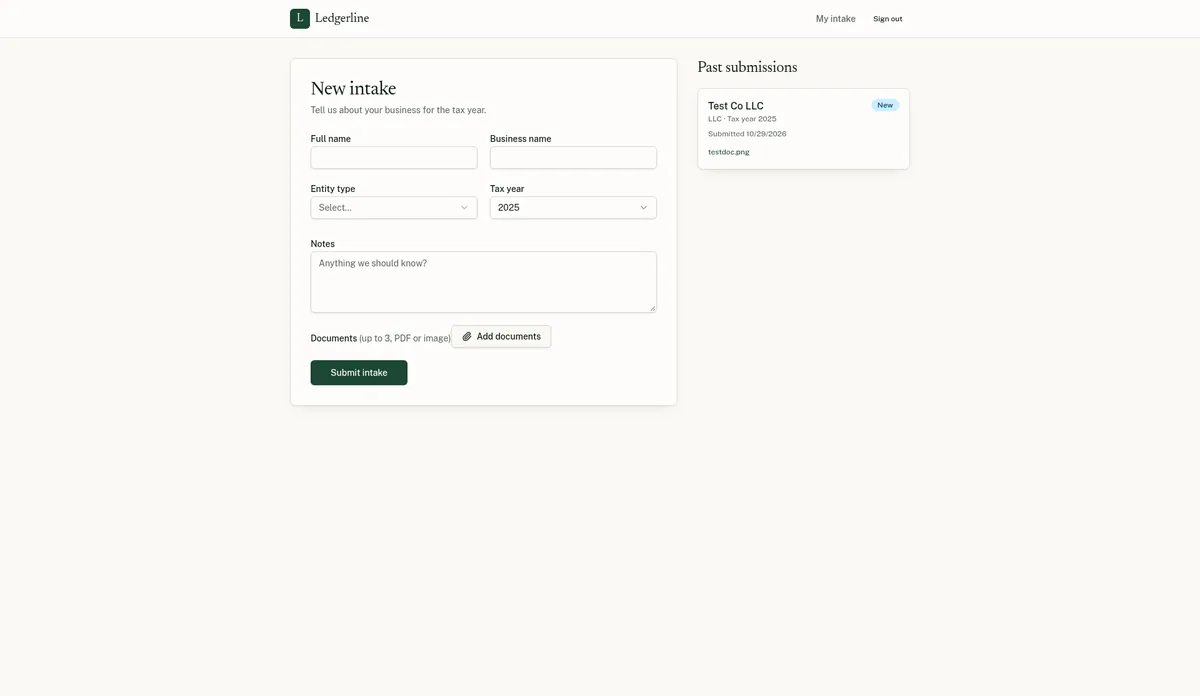
- Client intake portal for a small accounting firm. Clients sign up, fill in an intake form (name, business name, entity type, tax year, notes), upload up to 3 documents and see their own submissions. An admin view lists every submission with a status dropdown (New, In review, Complete).
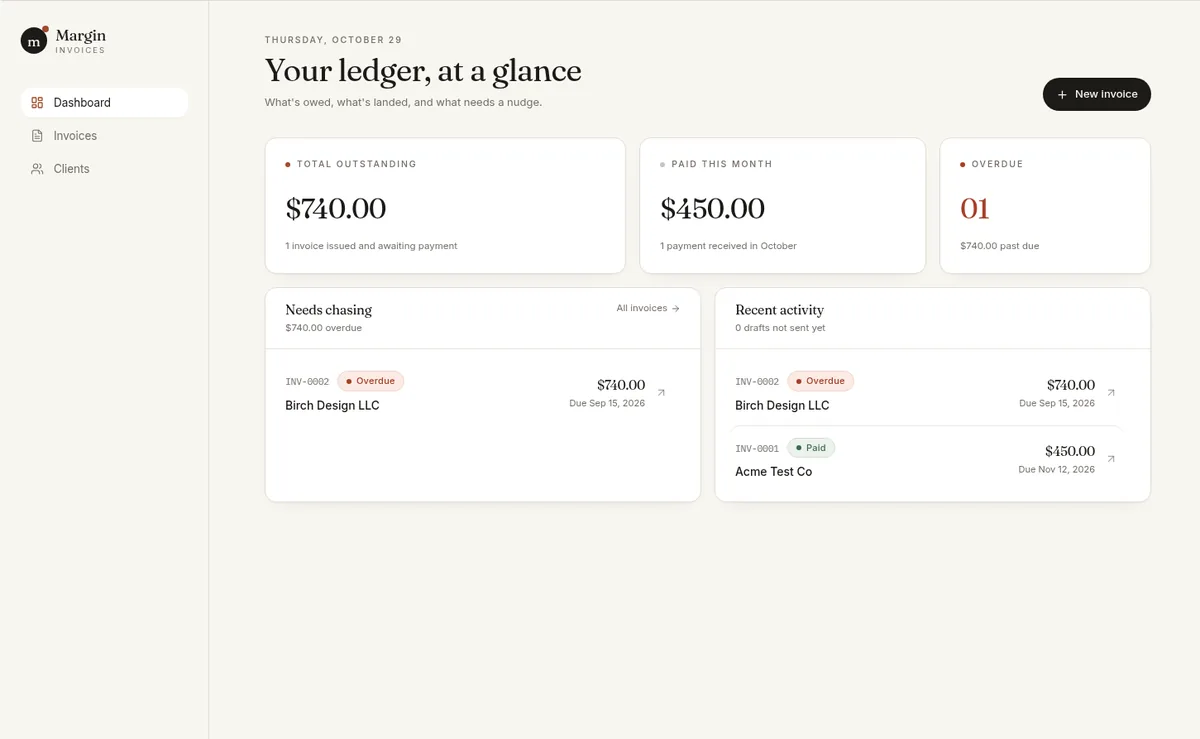
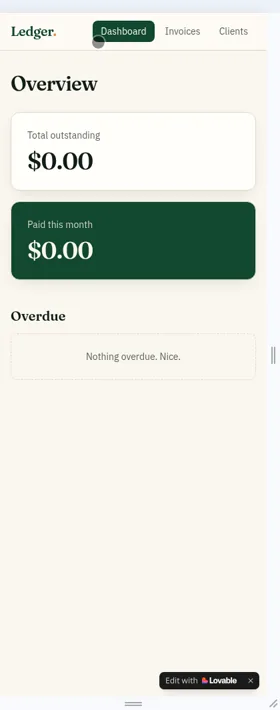
- Invoice tracker for a freelancer. Clients, invoices with line items and an automatic total, statuses including an automatic Overdue, and a dashboard with outstanding, paid this month and overdue invoices.
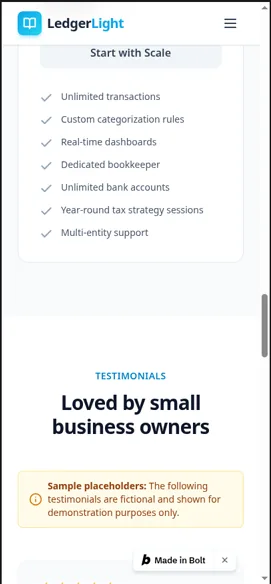
- Landing page for “LedgerLight”, a fictional bookkeeping service. Hero, three features, $49/$99/$199 pricing, testimonials labeled as samples, five FAQs and a contact form that saves submissions.
The plans weren’t the same, and that matters when you compare results:
| Tool | Plan we tested | Price (as of Oct 29, 2026) | Our score |
|---|---|---|---|
| Lovable | Pro, 100 credits a month | $25/mo billed monthly (source) | 8.4/10 (review) |
| Base44 | Builder, 250 message credits a month | $50/mo billed monthly, $40/mo billed yearly (source) | 8.1/10 (review) |
| Bolt.new | Free: 1M tokens a month, 300K a day | $0 (Pro is $25/mo billed monthly; not tested) (source) | 8.4/10 (review) |
| Softr | Basic, 60 AI credits in our account (10 included plus a 50-credit bonus) | $25/mo billed monthly, $19/mo billed yearly (source) | Not scored yet: our tests need Softr Pro (notes) |
Our test sessions were run by AI agents working in real accounts on these plans, following the fixed prompts, with every result logged. Nothing was published, and all data was fake.
Results at a glance
| Build | Lovable (Pro) | Base44 (Builder) | Bolt (Free) | Softr (Basic) |
|---|---|---|---|---|
| Client intake portal | Working in ~9 min, 1 fix (first admin) | Working in ~4.5 min, 0 fixes | Working in ~9 min, 1 fix (login error); admin set by hand in the database | Not working: intake form unreachable, uploads untested, test client could see everything |
| Invoice tracker | Working in ~4 min, 0 fixes, but data saved in the browser only | Working in ~12.5 min; 1 “continue” message after a pause; real database | Working in ~9 min, 0 fixes, real database | Not working in preview: no Overdue status, couldn’t add line items |
| Bookkeeping landing page | Working in ~3 min, 0 fixes | Working in ~5 min, 0 fixes | Working in ~2–3 min, 0 fixes (one stray “\u2019” in the copy) | Built in ~4 min, 0 fixes, but pricing defaulted to invented yearly prices |
| Separate client account check | Passed | Passed | Not run | Failed (checked with Softr’s “Preview as”, not a real sign-in) |
| CSV export of invoice data | Worked (1 build message) | Worked (1 message) | Untested (out of free tokens) | Worked (no message) |
| Code download | ZIP, 100 files, plus Git sync | ZIP, 108 files; code still relies on Base44’s backend | ZIP, 30 files, on the free plan | None |
Source: our Oct 29, 2026 test logs. Times are minutes from sending the prompt to “all listed features working.”
What worked
The intake portal is realistic in three of the four tools. Lovable, Base44 and Bolt all produced a portal where a client could sign up, submit the intake form with the five entity types, upload a file and see the status, and where an admin could change a status from New to In review and have it stick after a refresh. Base44 did it with no fix messages.
Separate client accounts stayed separate where we checked. In Lovable and Base44 we signed up a second, non-admin client. Neither showed it an Admin link, both blocked the admin page (“Admins only” in Lovable, “Firm staff only” in Base44), and the client saw only its own submissions. This is the single most important thing for a client portal, and we haven’t run the same check on Bolt yet.
The invoice tracker math worked. Lovable, Base44 and Bolt all calculated line-item totals, applied an Overdue status automatically and showed dashboard totals. Base44’s dashboard showed $740 outstanding, $450 paid this month and 1 overdue invoice on our test data.
Landing pages are the easy win. All four tools built the LedgerLight page with zero fix messages, in 2 to 5 minutes. If you only want a simple site for a practice, this is where vibe coding is already quick.
Costs for apps this small were low. Lovable’s three builds used 5.5 of 100 Pro credits (plus its free daily build credits). Base44 used 8.75 of 250 message credits. Bolt used 300K tokens, which is the free plan’s entire daily limit. Softr used 4.01 AI credits.
New to vibe coding? Our plain-English intro to vibe coding explains what it is and walks through a first app on a free plan.
What broke (and what it tells you)
These are the problems an accountant would actually hit. None needed code, but several needed you to notice them.
- Nobody can be admin at first. Lovable built an admin page that said “Admins only” with no way to become one, so we had to ask it to make our test account an admin. Bolt had no way either, and we set the admin role by hand in its Database tab. Base44 avoided this because its preview runs as the app owner. Plan for “who is the first admin?” before you start.
- A login bug cost almost half a build. Bolt’s portal got stuck on the sign-in screen because of a database security-rule error. One message fixed it, but that fix used about 84K of the 185K tokens the portal took.
- “Saved” didn’t mean “in a database.” Lovable’s invoice tracker passed the refresh test, but the data was stored in the browser only. Another device, or a cleared browser, would show nothing. Lovable itself suggested adding online storage. For anything with client or billing records, ask for a database in the first prompt.
- Business rules came out narrower than asked. Base44 marked invoices Overdue only when their status was Sent, not for any unpaid invoice past its due date. Check your rules with real-looking test cases.
- AI tools invent copy. Softr’s landing page added a “Trusted by 1,000+ small businesses” badge and defaulted to yearly prices ($39/$79/$159) we never asked for. Bolt’s added a “Trusted by 500+ small businesses” badge. For a regulated profession, read every sentence before anything goes live.
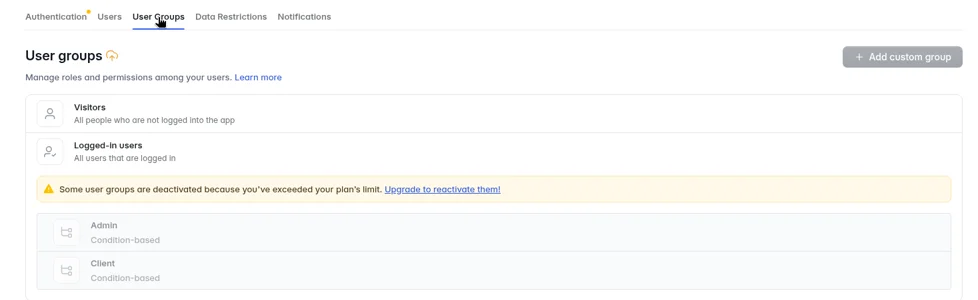
- Plan limits can break permissions silently. On Softr Basic, the portal’s Admin and Client user groups were switched off by a plan limit. Previewing as a test client, we could open the Admin tab and see all 8 sample submissions. Softr’s AI said it had reactivated the groups, but they were still off after a reload.
Which tool fits which accounting task
Client intake or document portal: Base44 or Lovable. Both passed our separate-client check. Base44 needed no fixes; Lovable needed one message to set up the first admin. Bolt built a working portal on its free plan, but its client check is untested. Our client portal guide has the full walkthrough.
Invoice, engagement or deadline tracker: Base44 saved everything in a real database by default. Bolt did too, on the free plan. With Lovable, say “store the data in a database” in your first prompt.
A simple practice website: any of the four. All four saved the landing page’s contact form to a database table in our test. Lovable noted that email notifications for the form need a paid plan and your own domain.
Something a developer may take over later: Lovable or Bolt. We downloaded Lovable’s code (100 files) and Bolt’s (30 files, on Free). Base44’s download worked too (108 files), but its own docs say exported code still relies on Base44’s backend and self-hosting isn’t supported. Softr had no code export. We haven’t run any exported code outside its platform.
If you’re choosing between two of these, see Base44 vs Lovable, Bolt vs Lovable and Base44 vs Bolt. New to all of this? Our beginner picks rank the tools by how much friction we hit.
Building a landing page for your firm? We ran the same landing-page brief for vibe coding for marketers.
What data should never go into a prototype
Our tests used invented names, test email inboxes and a sample PNG. That’s the right way to start. Until you have checked the published app’s security yourself, keep these out of any AI-built app:
- Social Security numbers, EINs tied to real clients, or bank and card numbers
- Real tax returns, W-2s, 1099s, bank statements or payroll files
- Client names and emails (use test addresses)
- Logins or API keys pasted into the chat
Before real client data goes in, check at least this, using what the tools offer:
- Run the security scan. Lovable’s free Deep scan found no issues on our portal but notes it can’t catch every risk; its dependency panel listed 12 known issues. Base44’s free “Check Security” scan flagged 7 high-severity dependency issues. We didn’t find a scan button in Bolt.
- Check who can open the app. Base44 set new apps to “Public” by default (it offers Private and Workspace too). Base44’s own security page says you’re responsible for your app’s security settings and should run a scan before publishing (source).
- Test with a second, non-admin account on the published app, not just the preview. We only tested previews.
- Check the plan’s governance features. On Lovable, workspace data is excluded from AI model training by default only on Business and Enterprise; on Free and Pro you opt out per account. SSO starts on Lovable Business (source). Bolt lists SOC 2, audit logs and data governance on Enterprise and SSO on Teams (source). Base44 says it is SOC 2 Type II and ISO 27001 certified, with audit logs on Enterprise (source).
- Know your firm’s own data-security obligations and check them against where each tool stores data.
Costs for an accounting practice (as of Oct 29, 2026)
| Tool | Free plan | Entry paid plan (monthly billing) | What our three builds used |
|---|---|---|---|
| Lovable | 5 daily build credits, max 30 a month | Pro $25/mo for 100 credits ($250/yr billed yearly) | 5.5 credits plus 5 free daily credits |
| Base44 | 25 message credits a month, up to 5 apps | Starter $20/mo ($16/mo billed yearly); we tested Builder at $50/mo | 8.75 message credits |
| Bolt.new | 1M tokens a month, 300K a day | Pro $25/mo, 10M tokens a month | 300K tokens (the full daily limit) |
| Softr | Free plan, 5 app users | Basic $25/mo ($19/mo billed yearly); Pro $119/mo ($99/mo billed yearly) | 4.01 AI credits |
Sources, read Oct 29, 2026: https://docs.lovable.dev/introduction/subscription-plans · https://base44.com/pricing · https://bolt.new/pricing · https://docs.softr.io/workspace-and-billing/pricing-and-plans. Prices in USD before tax.
Note on Softr: Basic includes 5 Client users with no add-on, and Softr says Pro is where “custom role-based permissions” start (source). That’s why we don’t recommend Basic for client portals and why Softr isn’t scored yet.
For credit math on Lovable, see Lovable pricing explained.
Pros and cons
Pros of vibe coding for accountants
- Pro: A working intake portal in 4.5 to 9 minutes in three of four tools, from one prompt
- Pro: Real databases, file uploads and status changes that persisted in Base44, Bolt and Lovable
- Pro: Separate client accounts stayed separate in Lovable and Base44
- Pro: Low cost for small apps: a few credits each, or $0 on Bolt Free
Cons
- Con: First-admin setup needed a message (Lovable) or a hand edit in the database (Bolt)
- Con: Data can end up in the browser instead of a database unless you ask (Lovable’s invoice tracker)
- Con: AI-written copy includes made-up claims you must remove
- Con: Plan limits can quietly switch off permissions (Softr Basic)
- Con: Nothing we tested was published, so real sign-in on a live app is still untested
Our verdict
Vibe coding is practical for accountants today for internal tools and simple sites, as long as you treat the result as a prototype until you’ve checked access and security on the live app. For a client portal or tracker with the least fuss, start with Base44. If you care about owning the code, start with Lovable, and ask for a database up front. To try it for free, Bolt built all three of our apps on its free plan, with one login fix and a manual admin step. Don’t build a client portal on Softr Basic. Whatever you pick, keep real client data out until you’ve tested with a second account on the published app.
Related tests: How to build a client portal with AI · Base44 vs Lovable · Bolt vs Lovable
Vibe coding for accountants FAQ
What is vibe coding?
Describing an app in plain language and letting an AI tool write and run it. You test it, describe what’s wrong, and the tool fixes it. In our tests, each app started from one prompt, plus fix messages only when something was broken.
Can an accountant build a client portal without coding?
In our Oct 29, 2026 test, yes in three of four tools: Base44 (no fixes), Lovable (one fix) and Bolt (one fix plus a manual admin edit). Softr’s Basic plan didn’t produce a working portal. We tested unpublished previews with fake data, so test the live app before using it with clients.
Is it safe to put client data into an AI-built app?
Not until you’ve checked it. Run the tool’s security scan, set the app to private or invite-only where offered, test with a separate non-admin account on the published app, and check the plan’s data and SSO features against your firm’s obligations. We only tested previews with fake data.
Which AI app builder is best for accountants?
For internal tools, Base44 needed the fewest fixes and saved data in a real database by default. Lovable is the pick if you want to own and export the code. Bolt is the way to try it for free. Softr isn’t scored yet because client portals need its Pro plan, which we haven’t tested.
How much does it cost?
As of Oct 29, 2026: Lovable Pro is $25/month, Base44 Builder (what we tested) is $50/month billed monthly, Bolt has a free plan with Pro at $25/month, and Softr Basic is $25/month. Our three test builds used 5.5 Lovable credits, 8.75 Base44 message credits, Bolt’s full 300K free daily tokens and 4.01 Softr AI credits.
Does vibe coding work for chartered accountants outside the US?
The tools aren’t US-specific, but our tests used US-style entity types and US dollars. Check each tool’s data location options. For example, Base44 lists EU, UK or US data residency on its Business and Enterprise plans.
Update history
- October 29, 2026: First published. Test results from our Oct 29, 2026 round (Lovable Pro, Base44 Builder, Bolt Free, Softr Basic). Prices checked Oct 29, 2026.